

Best Mouse Skates for Logitech G Pro X3 Superstrike
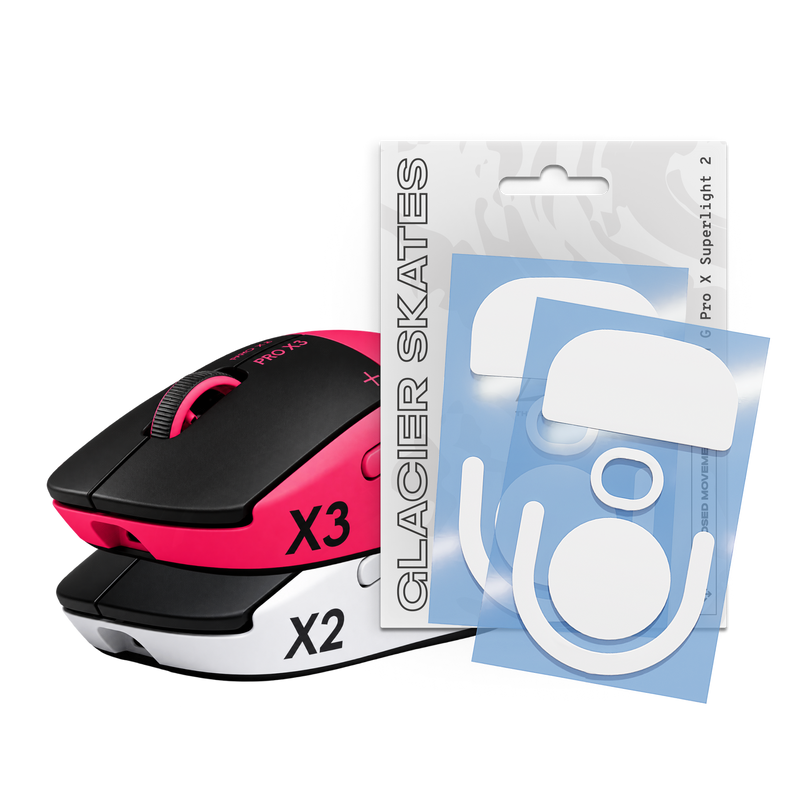
Want to unlock the full potential of your Logitech G Pro X3 Superstrike? The fastest, cheapest upgrade is under the mouse. The right skates change how quickly the mouse starts, how cleanly it stops and how consistent it feels from the first round to the last. This guide covers which skates fit the X3 Superstrike and how to pick the right set for your setup.
Do X3 Superstrike skates exist?
Yes. The X3 Superstrike uses the same skate layout as the G Pro X Superlight 2 and the X2 Superstrike, so skates made for that layout fit directly. Our Glacier Skates and Crystal Skates GPX2 sets are made to fit the G Pro X Superlight 2, X2 Superstrike and X3 Superstrike.
Pick your skate by game
CS2, Valorant and other tactical shooters
Precise stops and stable crosshair placement matter most. PTFE skates give a quick glide with natural braking, so the mouse stops where you want it to.
Apex Legends, Overwatch 2, Fortnite and tracking games
Constant tracking and fast direction changes reward low friction. Glass skates make the mouse feel lighter and help you keep up with moving targets.
Mixed play and daily use
If you play a bit of everything, PTFE is the most forgiving all-round choice.
Pick your skate by mousepad
- Control cloth pad: PTFE for a balanced feel, or glass if you want more speed.
- Speed cloth pad: PTFE keeps the glide manageable; glass gives maximum speed.
- Glass pad: do not use glass skates or full-size PTFE skates, as both wear down the pad. Use dots, like UHMW-PE Motion Skates made for glass pads.
Best skates for the X3 Superstrike
Glacier Skates: 100% PTFE
Ultra-low friction with optimized thickness for a balance of speed, durability and control. Polished, rounded edges keep the glide smooth and consistent, with no catching on the pad.

Crystal Skates: glass
Premium glass skates for a faster, smoother and more defined glide. Glass is very hard, so the skates keep their finish far longer than PTFE on cloth pads.

Getting the most out of new skates
- Remove every layer of the stock feet. Leftover foam or adhesive changes the height of the mouse.
- Clean the base. Wipe it with isopropyl alcohol and let it dry.
- Align, then press. Place each skate in its recess before pressing firmly.
- Give it a few sessions. Let the new glide settle before you change your sensitivity.
- Keep the pad clean. Dust and grit are the main cause of a scratchy glide.
FAQ
Are X2 and X3 Superstrike skates the same?
Our GPX2 skate sets fit both the X2 Superstrike and the X3 Superstrike, as well as the G Pro X Superlight 2.
Should I replace the stock skates on a new X3 Superstrike?
Stock feet work fine out of the box. Upgrade when you want a different feel, such as the speed of glass, or when the stock feet start to feel worn.
Can I use glass skates on my glass mousepad?
No. Two hard surfaces can scratch and wear down the pad. Full-size PTFE skates are not a good choice on glass either. Use UHMW-PE dots on glass pads.


