

Best Mouse Skates for Razer Viper V3 Pro
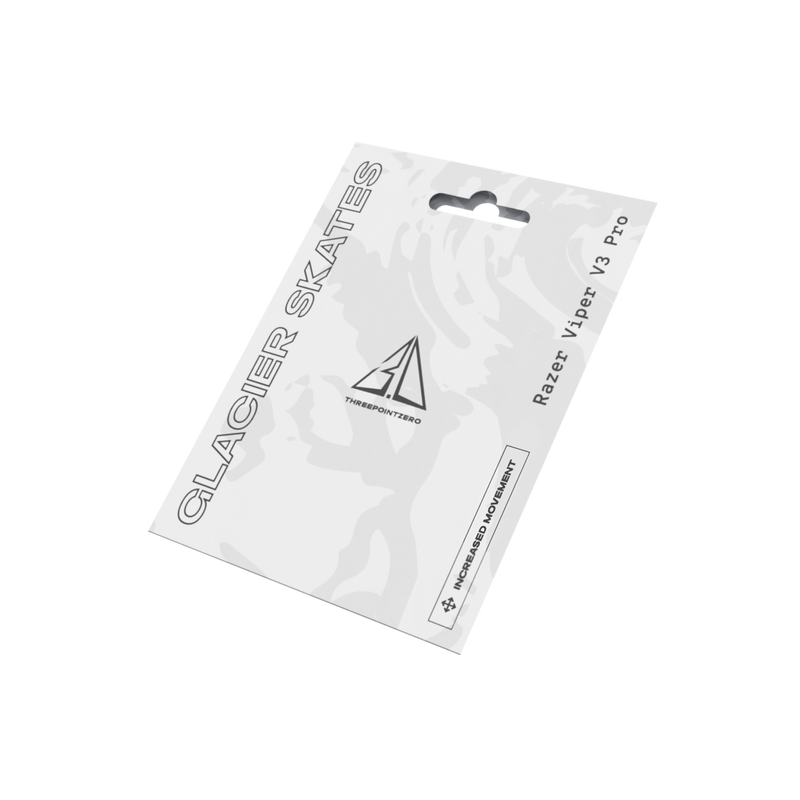

The Razer Viper V3 Pro is one of the most popular mice in competitive FPS: light, symmetrical and built for fast aim. Fresh skates and a set of grips are the easiest way to make it feel even better. Here is what fits the Viper V3 Pro and how to choose.
Why replace the Viper V3 Pro skates?
The stock feet are good out of the box, but like every skate they wear down over time. Worn feet feel slower, scratchier and less consistent. A model-specific replacement set brings back a smooth glide and lets you tune how the mouse feels.
- Consistent glide: polished, rounded edges reduce micro-drag on cloth pads.
- Perfect fit: shaped to match the Viper V3 Pro's original skate recesses.
- Like new again: restore the feel of a fresh mouse when the stock feet are worn.
Best skates for the Viper V3 Pro: Glacier Skates
Glacier Skates are engineered with 100% PTFE for ultra-low friction. Optimized thickness balances speed, durability and control, and polished, rounded edges keep the glide smooth and consistent with minimal resistance.

Our glass Crystal Skates are currently made for the Logitech G Pro X Superlight 2 and X2/X3 Superstrike, so there is no model-specific Crystal set for the Viper V3 Pro yet. If you want to experiment with a different feel, Crystal Skates Universal Dots fit almost any mouse.
Add grips for more control
The Viper V3 Pro has a smooth shell. In long or sweaty sessions your fingers can slip. PRO Grips are pre-cut for the Viper V3 Pro, with a textured surface that reduces slip and improves control for fingertip, claw and palm grips.

PTFE or glass for the Viper V3 Pro?
PTFE is the safe all-round choice: fast, predictable and great for tactical shooters like CS2 and Valorant. Glass skates are even faster with less stopping power, and they should not be used on glass mousepads. Read more in PTFE vs Glass Mouse Skates.
How to install skates on the Viper V3 Pro
- Remove the stock feet. Peel them off with a fingernail or a plastic tool. Remove every layer until you see the plastic of the mouse.
- Clean the base. Wipe away leftover adhesive with isopropyl alcohol and let it dry.
- Align, then press. Place each new skate in its recess before pressing down firmly for a few seconds.
- Let it settle. Give the new skates a few sessions before you change your sensitivity.
New to replacing skates? Follow our step-by-step guide to installing mouse skates, including our installation video.
FAQ
Do Viper V2 Pro skates fit the Viper V3 Pro?
Do not assume they do. Different Viper generations can use different skate layouts. Choose a set made for the Viper V3 Pro.
Do you make glass skates for the Viper V3 Pro?
Not a model-specific set at the moment. Our Crystal Universal Dots are the glass option for Razer mice.
Are grips worth it on the Viper V3 Pro?
For many players, yes. Grips add very little weight and make the mouse easier to hold steady, especially with sweaty hands.


