

Half-Life: Alyx on Quest 3: Our Wireless PCVR Setup Review


Official Half-Life: Alyx screenshot. Image: Valve, via Steam
We finally played Half-Life: Alyx in VR. This review is about the setup we played it on: a Meta Quest 3 streaming the game wirelessly from a gaming PC with Virtual Desktop, plus the accessories on the headset and the controllers. If you want to play Alyx on a Quest without a cable, here is how the pieces fit together and why each one is there.
Our verdict: how the setup played
“Really good, especially for FPS shooting in VR and the constant grip you have around the controllers. Nice to skip the straps thanks to the improved grip.”
That is my take after playing. Shooting is where the setup stood out, and the thing I noticed most was the grip: with PRO Grips on the controllers, my hands stayed put on them, and I liked playing without relying on the straps.
Quick safety note: that is a personal preference, not a recommendation. Grip tape is not a replacement for the controller wrist straps. The controllers come with wrist straps for a reason, and we recommend keeping them on, especially in fast games.
Our Half-Life: Alyx setup at a glance
- Headset: Meta Quest 3
- Controller grip: PRO Grips Universal on both Quest 3 controllers
- Head strap: KIWI design K4 battery strap
- Face interface: AMVR cooling face cover
- PC: HP OMEN 30L
- Router: TP-Link Archer AX12 (AX1500, Wi-Fi 6)
- Streaming: Virtual Desktop on the Quest 3, Virtual Desktop Streamer on the PC
- VR runtime: SteamVR, running on the PC
- Network: PC wired to the router with Ethernet, Quest 3 on the router's Wi-Fi
How wireless PCVR works with Virtual Desktop

Meta Quest 3. Photo: Roy.wonder.cohen / Wikimedia Commons, CC BY-SA 4.0
Half-Life: Alyx is a PC VR game. Valve lists SteamVR as its VR support, so the game runs on the computer, not on the headset. The Quest 3 is the screen and the controllers, and everything travels over the home network:
- The Virtual Desktop Streamer app runs on the Windows PC.
- The Virtual Desktop app on the Quest 3 connects to that PC over the local network.
- You launch Half-Life: Alyx through SteamVR from Virtual Desktop's Games tab, and the PC renders the game.
- Virtual Desktop streams the picture to the headset and sends head and controller tracking back to the PC.
So the headset connects to the PC, and the PC does the heavy lifting. That is why the network matters as much as the graphics card.
Network: PC on Ethernet, headset on Wi-Fi
Virtual Desktop's requirements say the computer should be wired to a 5 GHz AC or AX Wi-Fi router, with the headset on the same network. Meta gives the same advice for streaming PC VR to a Quest: connect the PC to the router with Ethernet, so the PC side of the stream doesn't use Wi-Fi at all.
Our PC is plugged into the router with a cable, and the Quest 3 connects to the router over Wi-Fi.

TP-Link Archer AX12. Image: TP-Link
About the TP-Link Archer AX12: AX1500 is the speed class, not a separate model. TP-Link lists the Archer AX12 as a dual-band Wi-Fi 6 router with up to 1201 Mbps on 5 GHz and 300 Mbps on 2.4 GHz, one Gigabit WAN port and three Gigabit LAN ports. Those Wi-Fi numbers are maximum link rates, not what a stream actually gets. It has no 6 GHz band, so with this router the headset should be on the 5 GHz network that Virtual Desktop asks for.
Network tips worth checking, based on Virtual Desktop's and Meta's guidance:
- Connect the Quest 3 to the 5 GHz network, not 2.4 GHz and not a guest network.
- Plug the PC into a Gigabit LAN port with a working Ethernet cable.
- Play close to the router, ideally in the same room with a clear line of sight.
- If your router allows it, choose a fixed 5 GHz channel and an 80 MHz channel width.
- Fewer busy devices on the same Wi-Fi means less competition for the stream.
- If Virtual Desktop can't reach the computer, check that both devices are on the same network and that a firewall or VPN isn't blocking the Streamer app.
The PC: HP OMEN 30L
Everything you see in the headset is rendered by the PC, so the computer sets the ceiling for how the game can look and run. Valve's minimum requirements for Half-Life: Alyx are Windows 10 on a 64-bit system, a Core i5-7500 or Ryzen 5 1600, 12 GB RAM and a GTX 1060 or RX 580 with 6 GB VRAM. Virtual Desktop also needs a VR ready PC running Windows for PC VR streaming.

HP OMEN 30L. Image: HP Inc. press image, shown as an example of the model
The OMEN 30L has been sold in many configurations, so the model name alone doesn't tell you what's inside. To give you an idea of what an OMEN 30L can contain, here is one configuration HP has published.
Example OMEN 30L configuration, not verified specs for our PC
| Part | OMEN 30L GT13-1184 (HP product number 328S4AA) |
|---|---|
| CPU | AMD Ryzen 7 5800X |
| GPU | NVIDIA GeForce RTX 3070 with LHR (8 GB) |
| RAM | 16 GB HyperX DDR4-3200 |
| Storage | 1 TB WD_BLACK PCIe NVMe SSD |
| Power supply | 800 W |
| OS | Windows 11 Home |
Source: HP product specifications for OMEN 30L GT13-1184. Other OMEN 30L models use different processors and graphics cards.
That example sits above Valve's listed minimum on every line. Whichever OMEN 30L or other PC you have, compare your own CPU, GPU and RAM against Valve's list before you start.
Head strap: KIWI design K4 battery strap

KIWI design K4 battery strap for Quest 3. Product image: KIWI design
When you play wirelessly, the Quest 3 runs on battery for the whole session. A battery strap puts an extra battery at the back of the head strap. That adds playtime to a wireless session and works as a counterweight to the front of the headset. Capacity and charging details depend on the exact version, so check KIWI design's product page for yours.
A battery strap makes sense for a long story game like Alyx played over Wi-Fi.
Face interface: AMVR cooling face cover

An AMVR facial interface for Quest 3. Product image: AMVR. Example of the product type, our exact version may differ
The facial interface is the part of the headset that rests against your face. AMVR makes several facial interfaces and replacement pads for the Quest 3, including versions designed around cooling and ventilation. Swapping the stock interface for a cooling face cover is a simple way to deal with heat during active VR sessions, and a separate cover is easier to keep clean between sessions.
Controllers: PRO Grips Universal

PRO Grips Universal on our Quest 3 controllers
Half-Life: Alyx is all about your hands: reloading, pulling things toward you with the gravity gloves, holding a pistol steady while you aim. The Quest 3 controllers have smooth plastic, so we put PRO Grips Universal on both of them. The pack is pre-cut into mixed shapes and sizes, so you can cover the exact spots where your fingers and palm touch the controller.
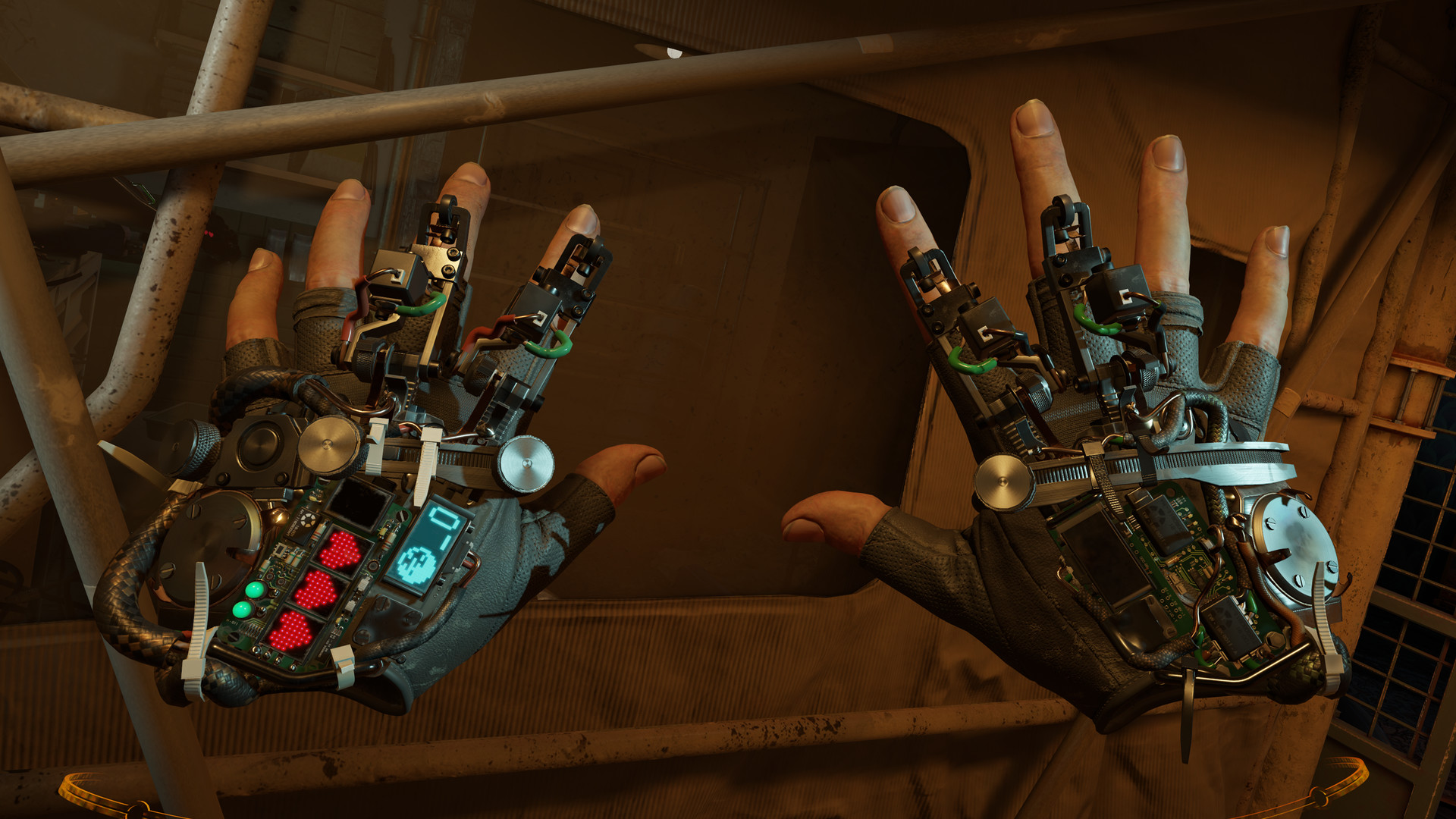
The gravity gloves in Half-Life: Alyx. Image: Valve, via Steam
How to apply them on Quest 3 controllers:
- Wipe the controller shell so it's clean and dry.
- Hold the controller the way you actually play.
- Note where your fingers, thumb and palm touch bare plastic.
- Pick pieces from the pack that match those spots, without covering buttons, the thumbstick or the tracking sensors.
- Press each piece down firmly for a few seconds.

More on that in how I got a better grip on my VR controllers.
Setup checklist before you start Alyx
- Install Steam, SteamVR and Half-Life: Alyx on the PC.
- Install Virtual Desktop Streamer on the PC and Virtual Desktop on the Quest 3.
- Connect the PC to the router with an Ethernet cable.
- Connect the Quest 3 to the router's 5 GHz Wi-Fi.
- Update your GPU drivers.
- Charge the headset and the battery strap.
- Fit the head strap and face interface, and apply grips to the controllers.
- Put on the controller wrist straps.
- Open Virtual Desktop in the headset, connect to the PC and launch Half-Life: Alyx from the Games tab.
FAQ
Can you play Half-Life: Alyx on a Quest 3?
Yes, as a PC VR game. Half-Life: Alyx runs on a Windows PC through SteamVR, and the Quest 3 connects to that PC with a cable or wirelessly with an app such as Virtual Desktop. It doesn't run on the headset by itself.
Do I need Ethernet for Virtual Desktop?
Virtual Desktop's requirements say the computer should be wired to a 5 GHz AC or AX router. With the PC on Ethernet, only the headset uses Wi-Fi.
Is an AX1500 router enough?
AX1500 is a speed class. The Archer AX12 is a dual-band Wi-Fi 6 router with 5 GHz, which meets Virtual Desktop's stated router requirement. How well it streams in your home also depends on distance, walls and other devices on the network.
Do I need a battery strap for wireless PC VR?
No, but it helps. A wireless session runs on the headset battery, and a battery strap adds capacity and moves weight to the back of your head.
Can I play without the wrist straps if my controllers have grip tape?
Grip tape helps your fingers hold on, and we liked how the controllers felt with it. It isn't a safety replacement for the wrist straps, so we recommend keeping them on.
Will PRO Grips Universal fit Quest 3 controllers?
Yes. That's what we use them on. The pre-cut pieces come in mixed shapes and sizes, so you place them where your fingers touch the controller and keep buttons, thumbstick and tracking sensors clear.
Related guides
- How I Got a Better Grip on My VR Controllers
- Best Mouse Grip Tape: How to Choose Grips for Your Gaming Mouse
- PRO Grips Universal PreCut
- All Grips
Sources
- Half-Life: Alyx on Steam (Valve): SteamVR support and minimum system requirements
- Virtual Desktop: computer requirements and FAQ
- Meta Quest Help: Wi-Fi advice for streaming PC VR to Quest
- TP-Link Archer AX12: specifications
- HP OMEN 30L GT13-1184: product specifications
- KIWI design: battery head straps for Quest 3
- AMVR: facial interfaces for Quest 3


